Recommended template for this guide
Excel labels without Word mail merge
Skip mail merge and open a label template that maps Excel columns directly to printable labels.
- No Word document setup
- Excel data maps directly
- Good for address and mailing labels
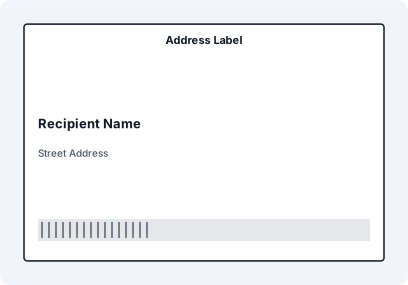
Step-by-Step: Print Labels Without Mail Merge
- Prepare your Excel or CSV file with structured data
- Import the dataset directly into a label workspace
- Map fields to label elements visually
- Preview multiple records for layout consistency
- Print the entire batch in one run
Example Workflow


Word Mail Merge was never designed for label production. It forces a document workflow onto a data problem, which leads to formatting issues, alignment shifts, and broken layouts when datasets grow.
Why Word Mail Merge Fails for Labels
- Layouts shift between pages
- Fields break alignment when data length changes
- Large datasets become slow and unstable
- Previewing results requires generating full documents
- Difficult to debug when something goes wrong
Stop Using Word as a Label Tool
Word is built for documents, not structured label output. Mail Merge treats labels like text blocks instead of fixed layouts, which leads to unpredictable results.
Load Excel Data Directly
Import your Excel or CSV file directly into the label workspace. Each row becomes a structured data record instead of a merge field inside a document.
Design Labels Visually
Place text, barcodes, and elements on a fixed layout. Unlike Word, the layout remains stable regardless of the content length.
Bind Data Instead of Merging
Bind elements directly to Excel columns. This removes the need for merge fields and eliminates formatting inconsistencies.
Preview Across the Dataset
Scroll through multiple records instantly. Unlike Mail Merge, you don’t need to generate a full document to verify output.
Print the Batch
Print all labels in one step. The system handles data mapping and layout without creating intermediate Word files.
Mail Merge vs Dedicated Label Workflow
- Mail Merge: document-based, unstable layouts
- Label workflow: data-driven, fixed layout
- Mail Merge: slow preview and iteration
- Label workflow: instant preview and control
Common Mail Merge Problems
- Text overflow breaking label layout
- Misaligned labels across pages
- Unexpected spacing or font scaling
- Incorrect field mapping
FAQ
Can I print labels from Excel without Word?
Yes. You can import Excel data directly into a label workflow without using Word Mail Merge.
Why does Mail Merge break label layouts?
Because Word treats labels as document elements instead of fixed layout objects, which causes alignment issues when data changes.
Is there a faster alternative to Mail Merge?
Yes. A dedicated label workflow allows direct data binding, instant preview, and stable layouts.
Can I print large batches without Mail Merge?
Yes. Label workflows handle large datasets more reliably than Word-based approaches.