Recommended template for this guide
Excel labels without extra software
Open a browser-based label template and map your spreadsheet without Word mail merge or desktop installs.
- Browser-based workflow
- Good all-purpose starting layout
- Works with Excel data
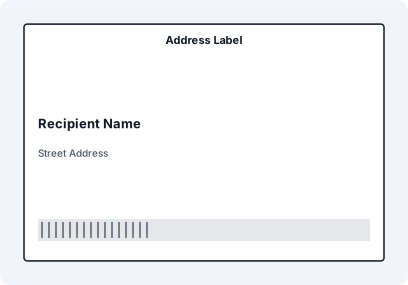
Step-by-Step: Print Labels Without Installing Software
- Open a browser-based label workspace
- Drag and drop your Excel or CSV file
- Map fields to label elements
- Adjust layout and preview
- Print directly using your system dialog
Example Workflow


Traditional label software requires installation, updates, drivers, and sometimes cloud accounts. A modern local-first browser workflow removes all of that complexity.
Why Avoid Installed Label Software
- Time lost on installation and setup
- Frequent updates and compatibility issues
- Licensing restrictions
- Vendor lock-in (DYMO, P-Touch, etc.)
Open the Workspace in Your Browser
Launch the label workspace directly in your browser. No downloads, no installers, no admin rights required.
Load Your Excel File Locally
Drag and drop your file into the browser. The data is processed locally on your machine using modern browser APIs, without uploading anything to a server.
Design Labels Visually
Map Excel columns to text and barcode fields using a visual interface. No scripting, no macros, no templates to install.
Instant Preview
Modern browsers render label previews instantly. Scroll through records to confirm layout consistency before printing.
Print Directly
Use the native print dialog of your operating system. Works with standard printers, thermal printers, and network devices without additional configuration.
Local Processing = Speed + Privacy
- No data upload to external servers
- Faster processing for large datasets
- Works offline once loaded
- Ideal for sensitive business data
Traditional Software vs Browser Workflow
- Installed tools require setup and maintenance
- Browser tools run instantly
- Desktop apps depend on OS compatibility
- Browser workflows are cross-platform by default
Common Mistakes
- Thinking Excel alone can generate labels
- Relying on Word Mail Merge for batch jobs
- Installing heavy software for simple workflows
FAQ
Can I print labels from Excel without installing anything?
Yes. Modern browser-based tools allow you to load Excel files locally and print labels without installing software.
Is my data uploaded to the cloud?
No. Local-first workflows process your files directly in the browser, keeping data on your device.
Does this work on Mac and Linux?
Yes. Browser-based tools are cross-platform and work on any system with a modern browser.
Can I print to thermal printers?
Yes. Printing is handled by the system dialog, so it works with Brother, DYMO, Zebra, and other printers.