Location and rack labeling
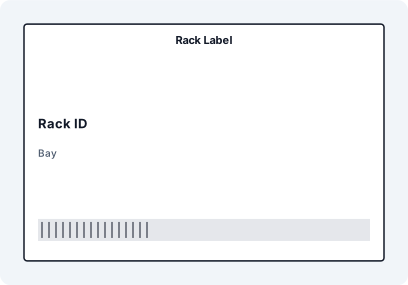
Create warehouse rack label templates in Excel for aisle, bay, level, bin, shelf, zone, and pick-face identifiers. Add large readable text for humans and a Code 128 or QR scan value for handheld scanners.
Turn warehouse location lists, SKU exports, inventory sheets, and WMS CSV files into scan-ready labels. LabelFlow Pro helps you build repeatable warehouse label templates for racks, bins, shelves, pallets, cartons, assets, and stock movements without rebuilding layouts by hand.
A strong warehouse labeling page should answer the real operational question: which label do I need, what data goes on it, and how do I print it reliably from the data I already have?
Create warehouse rack label templates in Excel for aisle, bay, level, bin, shelf, zone, and pick-face identifiers. Add large readable text for humans and a Code 128 or QR scan value for handheld scanners.
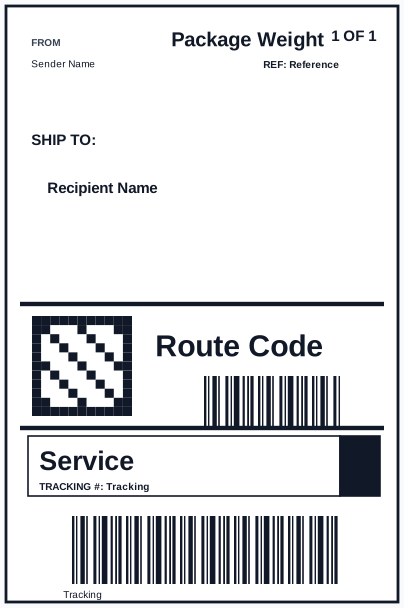
Print pallet routing labels, carton IDs, receiving labels, return tags, and internal handling labels from order, shipment, or receiving spreadsheets. Keep destination, route, quantity, copy counters, and references consistent with Formula Builder text such as Carton 1 of 10.
Label SKUs, lots, batches, counted stock, and inventory audit items with barcodes, QR links, quantities, and stock locations. Use one layout for recurring stock checks and relabeling projects.
The practical workflow is simple enough for a solo operator but structured enough for warehouse teams.
Start from Excel, CSV, or an ERP/WMS export with columns such as SKU, Location, Bin, Lot, Quantity, Pick Zone, Tracking, or Reorder URL.
Open a rack, bin, pallet, picking, or inventory label template and keep the label size matched to your thermal roll or A4/Letter sheet.
Bind spreadsheet columns to visible text, formulas, Code 128 barcodes, QR codes, or DataMatrix elements so every row becomes its own printable label. Copy columns can expose aliases such as PACK_NO, CARTON_NO, and PALLET_NO.
Print the batch, save the layout, then reuse the same template the next time the warehouse export changes.
These internal links matter because the solution page can point to real downloadable templates, not only describe the workflow in general terms.
Rack Label with matched XLSX sample data, mapped JSON fields, SVG preview, and print-ready dimensions.
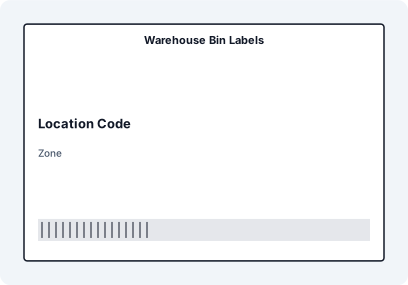
Warehouse Bin Labels with matched XLSX sample data, mapped JSON fields, SVG preview, and print-ready dimensions.
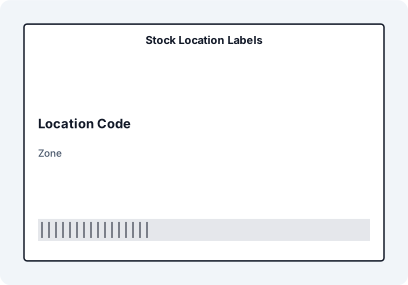
Stock Location Labels with matched XLSX sample data, mapped JSON fields, SVG preview, and print-ready dimensions.
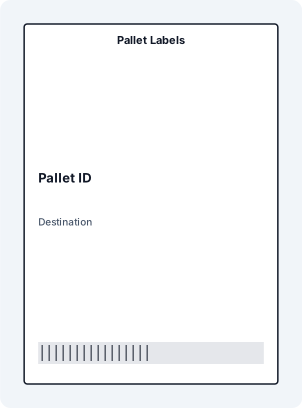
Pallet Labels with matched XLSX sample data, mapped JSON fields, SVG preview, and print-ready dimensions.
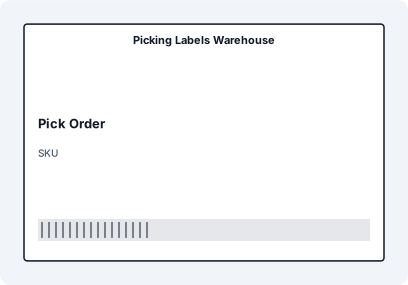
Picking Labels Warehouse with matched XLSX sample data, mapped JSON fields, SVG preview, and print-ready dimensions.
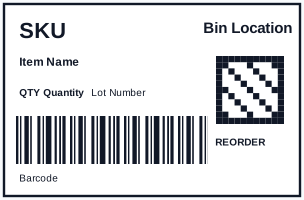
Warehouse inventory label with bold SKU, bin location, Code 128 scan value, QR reorder link, lot number, and quantity fields mapped from Excel.
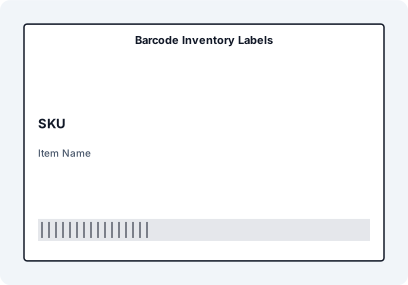
Barcode Inventory Labels with matched XLSX sample data, mapped JSON fields, SVG preview, and print-ready dimensions.
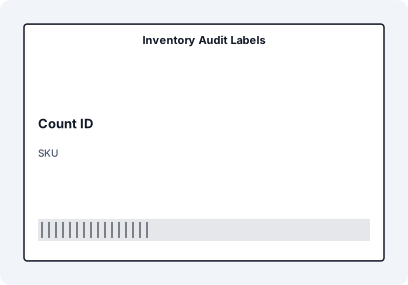
Inventory Audit Labels with matched XLSX sample data, mapped JSON fields, SVG preview, and print-ready dimensions.
| Label job | Useful data fields | Code options | Common format |
|---|---|---|---|
| Rack and bin labels | Aisle, rack, bay, level, bin, pick zone | Code 128 for location ID, QR for lookup URL | 2x1, 3x1, 76x50 mm, or shelf strips |
| Pallet labels | Pallet ID, destination, carrier, carton count, weight, pallet copy number | GS1-128-style or Code 128 plus QR reference | A5, 4x6, or 148x105 mm |
| Inventory labels | SKU, description, lot, quantity, unit, reorder URL | Code 128, QR, DataMatrix for compact IDs | 76x50 mm or 4x2 thermal |
| Picking labels | Order, route, SKU, location, quantity, priority | Barcode for pick task or order reference | Small thermal or packing slip label |
For Google AI results, this page now gives concise answers to common warehouse labeling questions and backs them with actual template pages. That is stronger than a generic page that only says "warehouse labels" without showing rack, bin, pallet, and QR/barcode examples.
Yes. Build or open a rack label template, import an Excel file with aisle, rack, bay, level, and bin columns, then map those fields to large text and a barcode or QR code. Each spreadsheet row can print as one rack or bin label.
Yes. A common layout uses a Code 128 barcode for scanner-friendly location or SKU data and a QR code for a longer URL, lookup record, reorder page, or maintenance note.
Yes. Use a copy column such as Pack, Cartons, or Pallets, then add Formula Builder text with aliases like PACK_NO/PACK_TOTAL, CARTON_NO/CARTON_TOTAL, or PALLET_NO/PALLET_TOTAL.
LabelFlow Pro works well with WMS or ERP exports. Export your locations, SKUs, receiving records, or pick tasks as CSV/XLSX, then import that file into the label workflow. It is a practical bridge when you need labels without a heavy enterprise setup.
No. Warehouse teams can print to thermal printers such as Zebra, Rollo, DYMO, Brother, and similar desktop models, or use A4/Letter sheet layouts when that is better for office printers.
At minimum, include a clear human-readable location or SKU, a machine-readable barcode or QR code, and enough context to prevent mix-ups: zone, bin, lot, quantity, route, or handling instruction depending on the label type.